
Custom Design and Development of a Personnel Information Management App with C++ and GUI | In-Depth Project Review
The Personnel Information Management application was developed entirely from scratch using C++ and a graphical user interface (GUI). It supports storing, searching, editing, and deleting user records. Originally built in 2006, this project aimed to provide hands-on experience with C++ and demonstrate how to develop practical desktop software for Windows. It is still actively used today as an educational and practice-oriented tool.
The user interface was built with graphical libraries in a Windows environment, allowing interactive use without relying on the command line. Features such as quick search, record editing and deletion, password protection, customizable settings, and file-based data storage make this project a valuable resource for students and programming enthusiasts alike.
🔐 Data security is ensured through password protection, and only authorized users can access stored data. Users can also change their password and adjust security settings from within the app.
🔧 Technologies Used in This Project:
- C++: Core programming logic and GUI implementation
- WinAPI / Graphics: Creating windows, buttons, and graphical components
- File I/O: Custom structured text file storage for user data
- Modular Structure: Clean and modular code architecture for easier development and maintenance
🎯 Key Features of the Application:
- Registering complete personal details (name, contact info, address, etc.)
- Fast and accurate record search
- Editing and deleting stored information
- Password-protected access
- Customizable environment settings for a personalized user experience
- File-based data saving and reloading capability
🌟 Advantages of Using This Project:
- Perfect for practicing C++ and data management concepts
- Lightweight application compatible with low-spec systems
- Beginner-friendly graphical interface
- Clean and extendable code ideal for student learning
💡 If you're looking for a hands-on and useful project to start learning C++ programming, this application is an excellent starting point.
🧑💻 Application User Interface Overview
🔐 Login Screen
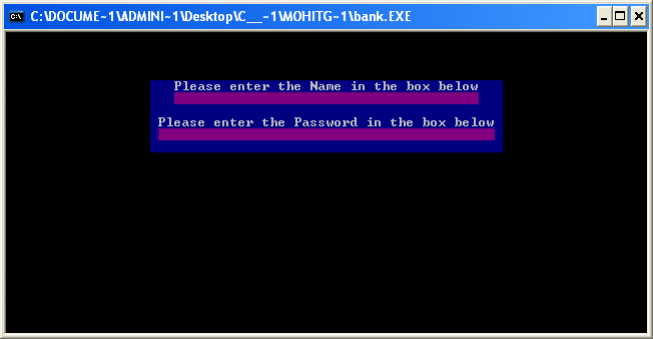
Upon launching the executable file, the login screen appears. If no password is set, pressing Enter will grant access to the program.
🏠 Main Menu
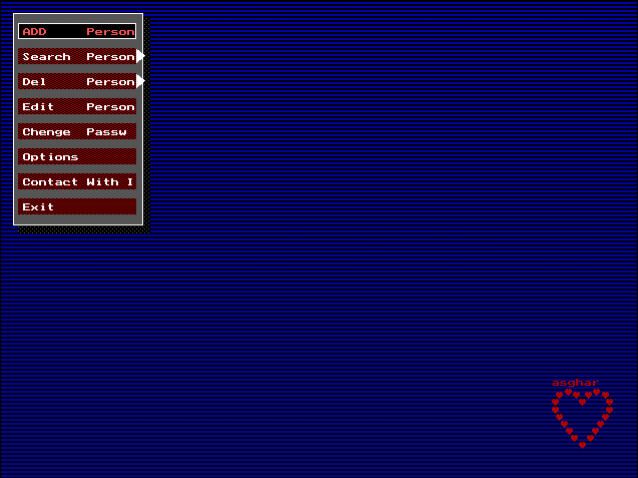
After login, the main interface appears, offering access to features such as registration, search, edit, settings, and exit.
📝 Registering Personal Details
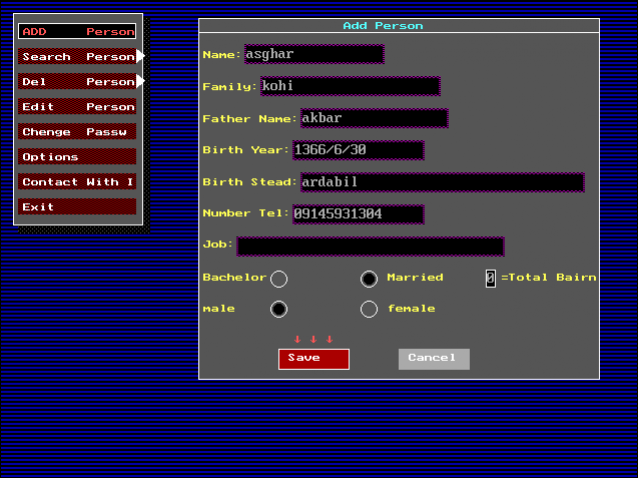
This section allows users to enter personal information, including full name, contact details, and more.
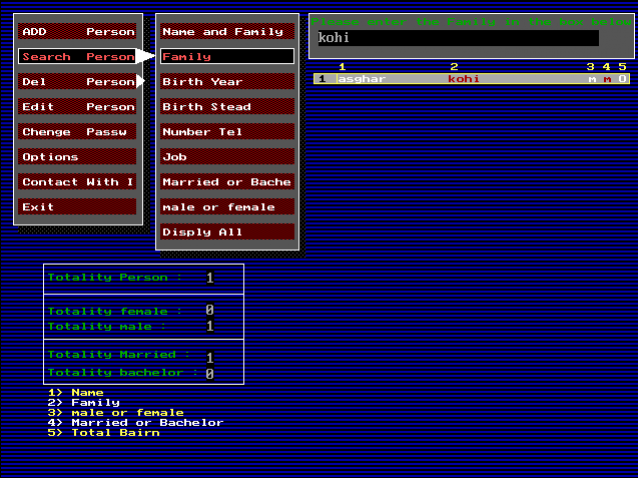
🔎 Searching Through Records
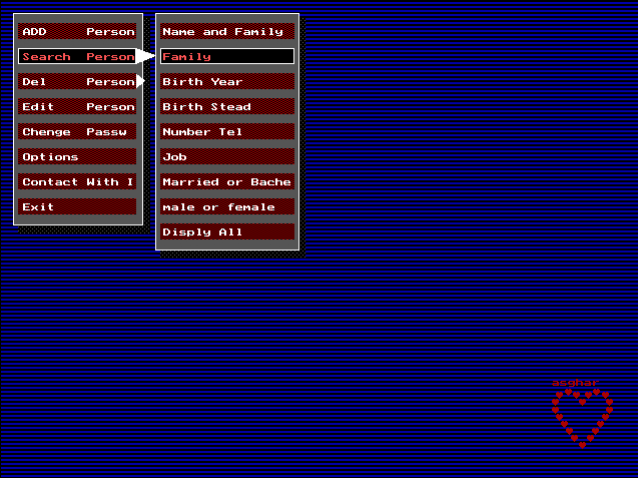
Fast and precise search functionality is available using first and last names.
📋 Search Results
If a match is found, the relevant record is displayed.
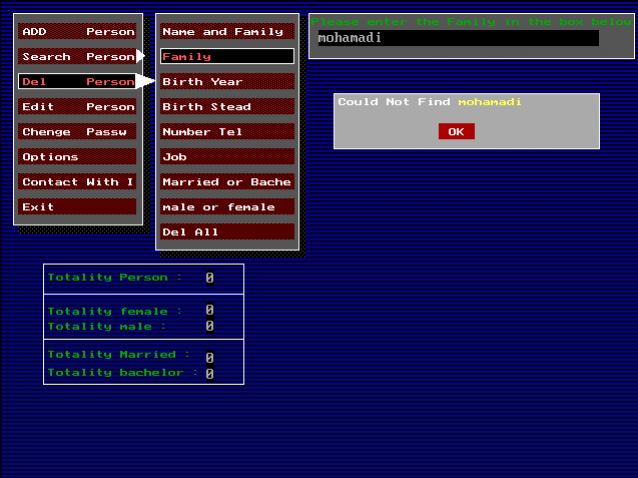
❌ No Results Found
If no matching record exists, a clear notification is shown to the user.
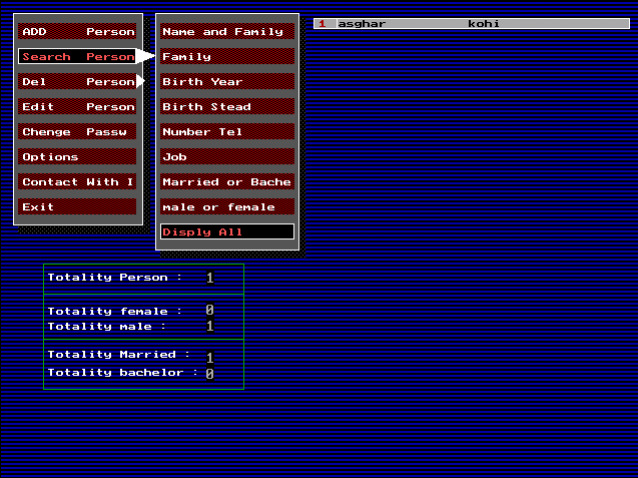
📂 Viewing All Stored Records
Users can browse all stored records in one place.
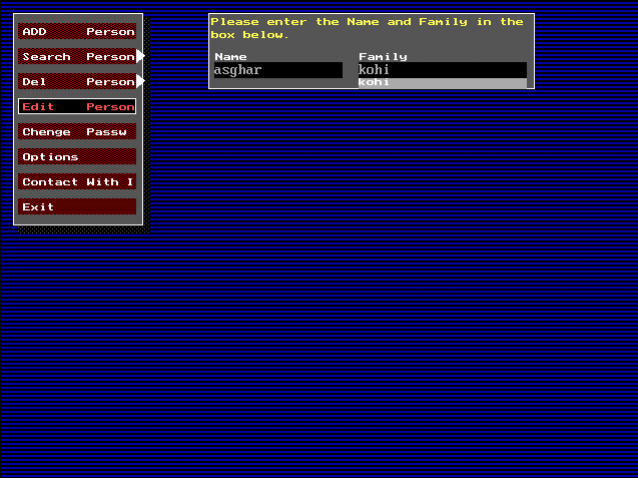
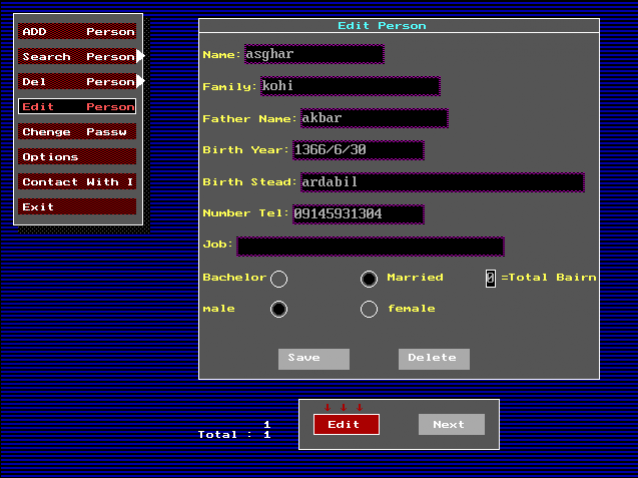
✏️ Editing Personal Information
By entering a name, the edit panel opens, allowing users to update individual fields.
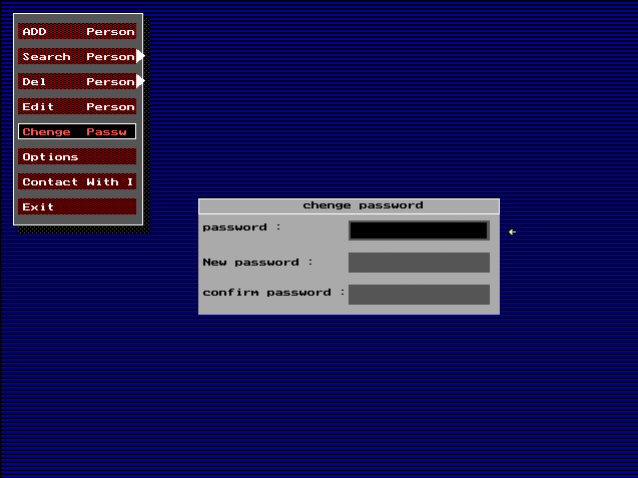
🔑 Changing Password
For enhanced security, users can update their password after entering the current one.
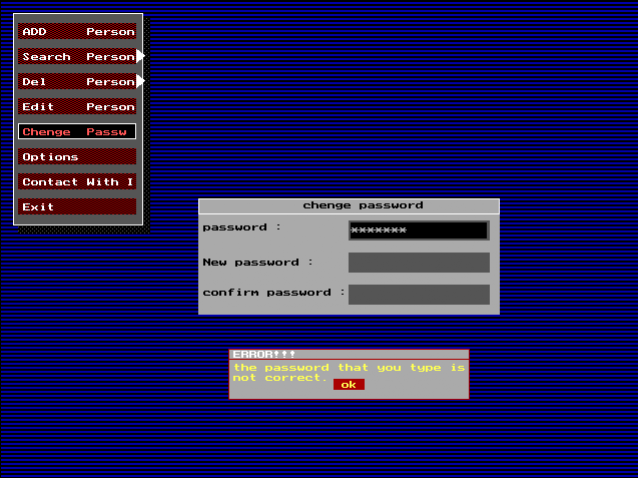
⚠️ Incorrect Password Entry
Entering the wrong password triggers a clear error message.
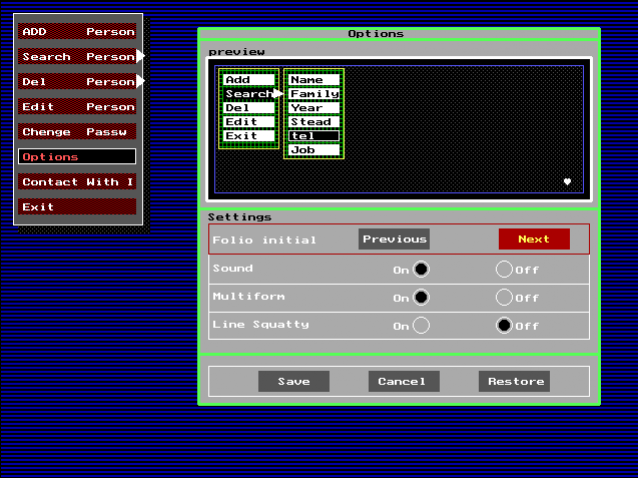
⚙️ Application Settings
Settings allow users to disable sound effects or change the theme.

ℹ️ About the Program
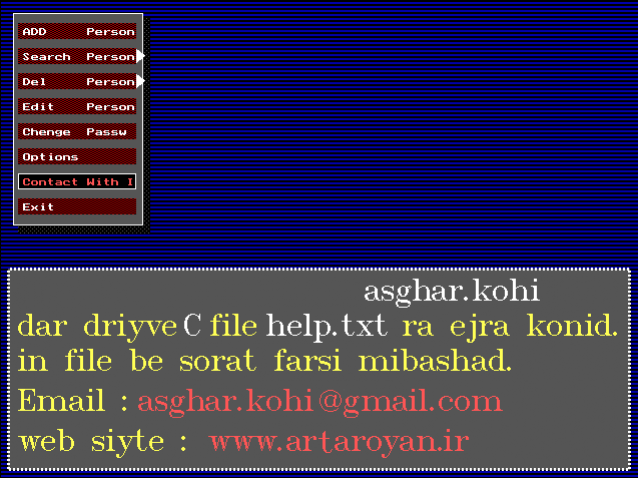
Detailed program information is available in the embedded Farsi help file.
📄 Stored Data File Content
                                      به نام خداوند بخشنده مهربان
                      با سلام خدمت شما دوست عزیز که از این برنامه استفاده می کنید
این برنامه یک بانک اطلاعاتی است که شامل اضافه کردن-جستجو-حذف-ویرایش-پسورد-تنظیمات-تماس بامن
 وخروج ازبرنامه می باشد این برنامه غیرقابل دستکاری است یعنی هیچ کس به غیرازشما نمی تواندازاین برنامه
             استفاده کند می توانید برنامه را به هرپوشه ای که می خواهید انتقال بدهید بااین شرط
           که تمام فایل ها را کپی کنید یا حداقل چهار فایل اصلی را کپی کنید که به ترتیب عبارتند از
              asghar.datوsystem.datوtrip.chrوbank.exe
  همیشه پسورد خود راحفظ باشید زیرابا فراموش کردن پسورد دیگرراهی برای دیدن اطلاعات نداریدبرای امنیت
بیشترهمیشه سعی کنید که پسورد را فقط خودشما داشته باشید وازدادن پسورد به دیگران خودداری کنیدتاهیچ مشکلی
پیش نیایداگریک زمان دیدید که برنامه اجازه دست یابی به اطلاعات را نمی دهدیعنی اینکه با انتخاب هرگزینه برنامه
ازشماپسورد پیشین را می خواهدنگران نباشید این یک امنیت طراحی شده برای برنامه می باشدحتمابرنامه تشخیص
 داده که پسورد واردشده اشتباه است بنابراین ازشماآخرین پسوردی راکه باآن وارد برنامه شده اید رامی خواهد
شمابرای این کار به قسمت تغییرپسورد می روید بعد بازاین کادربازمی شودشما باواردکردن پسورد قبلی کادرتغییر
 پسوردبازمی شود درقسمت اول شمافقط اینتررازده بعد بادادن پسوردجدیدوتاییدآن به راحتی می توانید این امنیت
  را برای اطلاعات خودداشته باشیداگرپسوردی راکه آخرین بار برنامه رابا آن بازکرده ایدرابه یادنداشته باشید
دیگرنمی توانید به اطلاعات خوددسترسی داشته باشید برای دسترسی دوباره می توانیدفایل اصغر.دات رابرای من
              ارسال کنیدتامن پسوردجدیدی برای شما ارسال کنم تاباآن پسوردبرنامه رااجرا کنید
         درضمن من اصغرکوهی دانشجوی رشته کامپیوترهستم باآرزوی توفیق برای شما دوستان عزیز
💻 Full Source Code
The complete source code written in C++ along with the graphical interface is available.